
Products in Search and Catalog Indexing (PrestaShop)
Use Products in search to control the catalog that shoppers can find. The page also controls whether PrestaShop combinations appear as one grouped product card or as separate cards, and whether search responses include the complete variation matrix.
Open Products in search
Section titled “Open Products in search”- Go to Modules → Module Manager.
- Find Kea Labs Search Pro.
- Click Configure.
- In the embedded dashboard, open Settings → Data Settings.
The page title is Products in search.
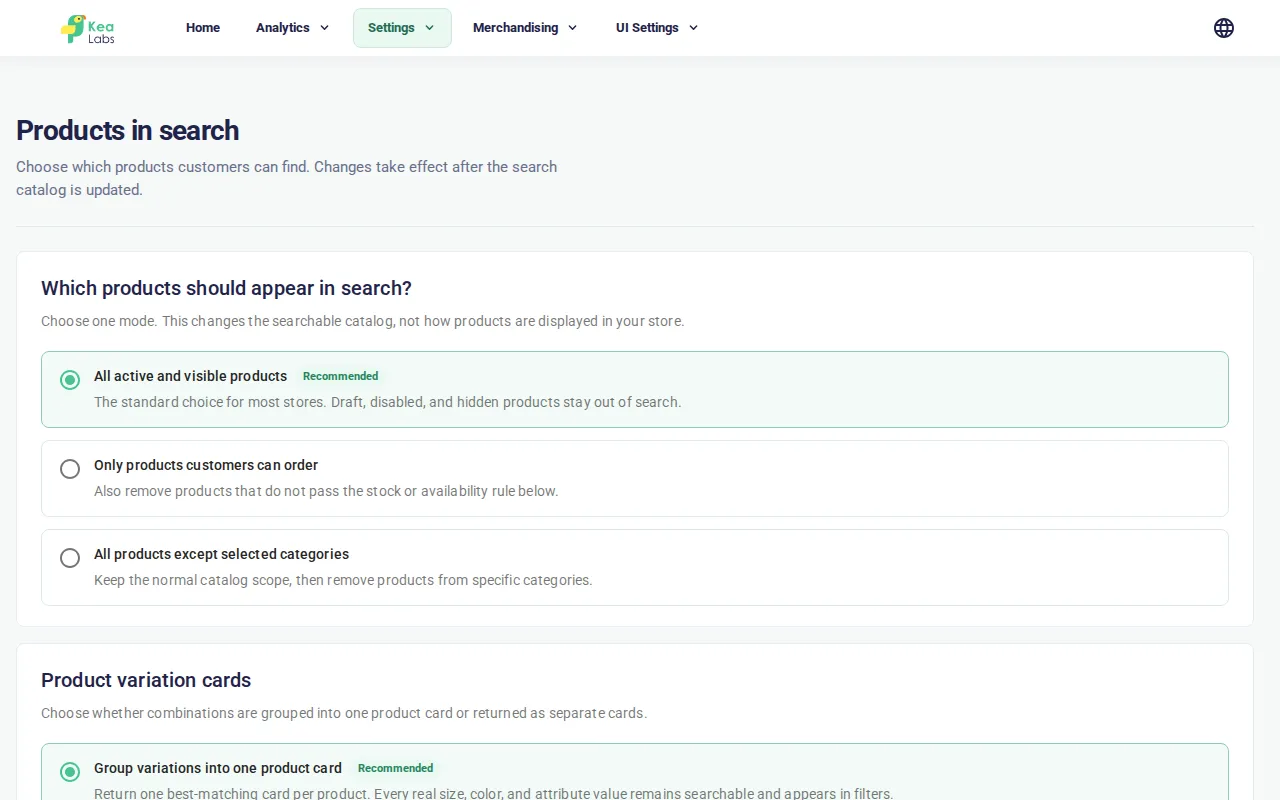
Choose which products shoppers can find
Section titled “Choose which products shoppers can find”Select one catalog mode:
| Mode | What enters the search catalog |
|---|---|
| All active and visible products | Active products whose PrestaShop visibility permits search. This is the recommended mode for most stores. |
| Only products customers can order | The normal active-and-visible scope, further restricted by the availability rule shown inside this option. |
| All products except selected categories | The normal active-and-visible scope, excluding every product assigned to any selected category. |
These modes change search eligibility. They do not activate products, change stock, remove products from PrestaShop, or alter product pages.
Configure orderable products
Section titled “Configure orderable products”Select Only products customers can order, then choose how the module decides whether a product can be ordered:
| Availability rule | Behavior |
|---|---|
| Stock quantity is greater than zero | Includes a product while its product-level available quantity is above zero. |
| Stock quantity or explicit out-of-stock permission | Requires the PrestaShop Available for order flag, then accepts positive quantity or the product-level out-of-stock order permission. The optional checkbox enables that permission path. |
| Use “available for order” | Uses the PrestaShop Available for order flag without requiring positive stock. This is useful for pre-orders. |
| At least one combination is in stock | Includes a product when at least one real PrestaShop combination has positive quantity. The fallback option can also keep simple products that have no combinations. |
For stock-based rules, the fallback checkbox defines what happens when the expected product-level stock row is missing. Enable it only when missing stock data should not remove a product from search.
Exclude categories
Section titled “Exclude categories”Select All products except selected categories, then:
- Start typing a category name in Search categories.
- Select one or more categories from the results.
- Click Save.
A product assigned to any selected category is excluded, even if it also belongs to a category that was not selected.
Choose how product combinations appear
Section titled “Choose how product combinations appear”PrestaShop combinations are indexed as real searchable documents. The Product variation cards setting decides whether search groups those documents into one result or returns them individually.
Group variations into one product card
Section titled “Group variations into one product card”This is the default and recommended mode for clothing, footwear, and other catalogs where shoppers expect one card for a product with several sizes or colors.
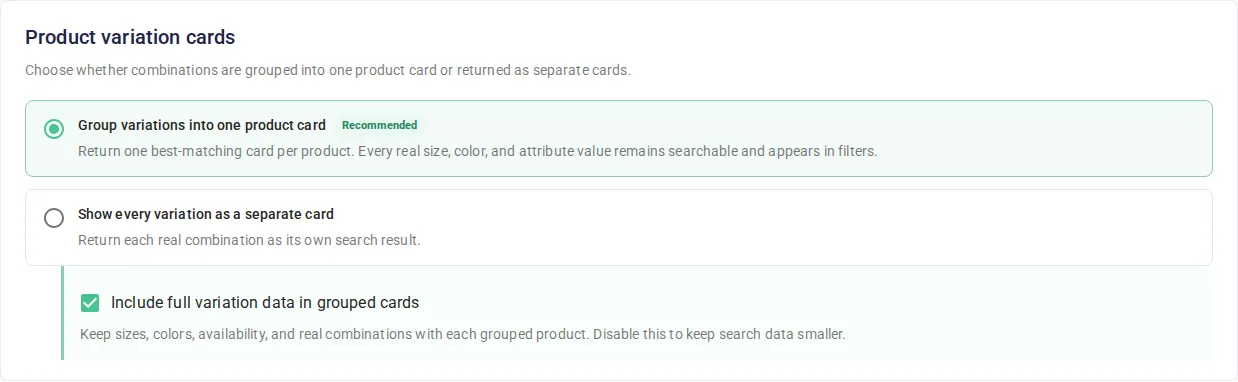
Grouped mode provides:
- one result card per parent product;
- the best matching real combination as the representative card;
- product-level pagination and facet counts;
- searchable values from every eligible combination;
- exact combination filtering.
Exact combination filtering prevents impossible matches. For example, if a product has only Red / M and Blue / L, it can match Red, M, Blue, or L separately. It does not match the combined filter Red + L, because that combination does not exist.
When a filter identifies a real combination, the returned card uses that matching combination’s URL, availability, price, and variant identifier where applicable.
Show every variation as a separate card
Section titled “Show every variation as a separate card”Use this mode when each sellable combination should occupy its own result position.
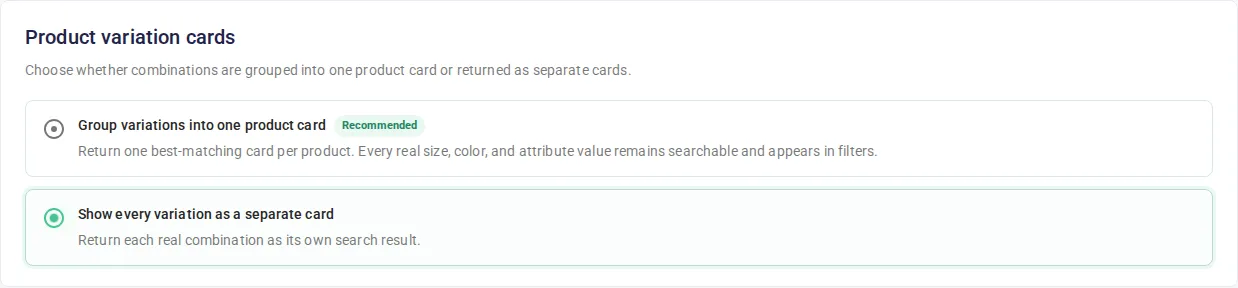
Individual mode provides:
- one result card for each real PrestaShop combination;
- combination-level URLs and availability;
- combination-level pagination and facet counts;
- a
product.variantobject describing the exact combination on each result; - no grouped
product.variantsmatrix.
Switching between grouped and individual cards changes query-time presentation. The module already keeps the real combination documents required by both modes, so this switch does not require rebuilding the search catalog by itself.
Include full variation data in grouped cards
Section titled “Include full variation data in grouped cards”When grouped mode is selected, Include full variation data in grouped cards controls the response payload independently from grouping.
- Enabled: each grouped result can include
product.variants, with localized axes, values, stock state, and every real combination. - Disabled: search still groups, searches, filters, facets, and paginates combinations correctly, but omits
product.variantsfrom result cards.
Disable the payload when the storefront does not display sizes, colors, or combination availability. This reduces indexed metadata and search response size without returning duplicate cards.
Changing this option requires a catalog update because the full matrix is materialized during indexing.
Variation response shape
Section titled “Variation response shape”The grouped search response exposes resolved objects rather than internal valueKeys references:
product.variants.axes[]describes an axis such as Size or Color and lists its localized values.product.variants.axes[].values[]includes stable keys, labels, presentation data such as a color hex value, variant counts, and stock counts.product.variants.items[]contains only real combinations.product.variants.items[].values[]contains the resolved axis and value objects for that combination.product.variants.items[].inStockandisDefaultdescribe combination state.product.variants.defaultVariantKey,variantCount, andinStockCountsummarize the matrix.
In individual mode, product.variant contains the selected combination’s id, stable key, localized label, values, stock state, reference codes, and price impact.
These are search response fields. The current bounded Mustache product-card view model exposes provider-backed product.attributes, but does not yet expose product.variants or product.variant. Use the response fields from a custom storefront integration; do not add variation paths to a Card Template until the storefront runtime lists them as supported fields.
Add product attributes and features
Section titled “Add product attributes and features”Expand Additional product data to include optional PrestaShop data in search result payloads.

| Option | Result data |
|---|---|
| Attribute summary | Adds a compact PrestaShop attribute summary under product.attributes.attribute. |
| Product features | Adds material, composition, and other PrestaShop features under product.attributes.feature. |
Provider data is collected in bulk during indexing. Search responses do not query PrestaShop feature or attribute tables for every result card.
These options are independent of the full variation matrix. Disabling product.variants does not remove enabled product.attributes data.
Save and apply changes
Section titled “Save and apply changes”- Click Save.
- If the dashboard shows Update search catalog, click it.
- The dashboard opens Catalog History while the update runs.
- Wait until the job reports Completed.
- Run a storefront query for a known product and test the relevant size, color, stock, or category filters.
A full catalog update is required after changing:
- product eligibility mode;
- availability rule or its options;
- excluded categories;
- the full grouped variation payload;
- additional product data providers.
Changing only grouped versus individual cards does not require a catalog update.
Check catalog status
Section titled “Check catalog status”The status card at the bottom of the page reports whether the current search catalog is ready. Open Catalog History to inspect current and previous full updates.

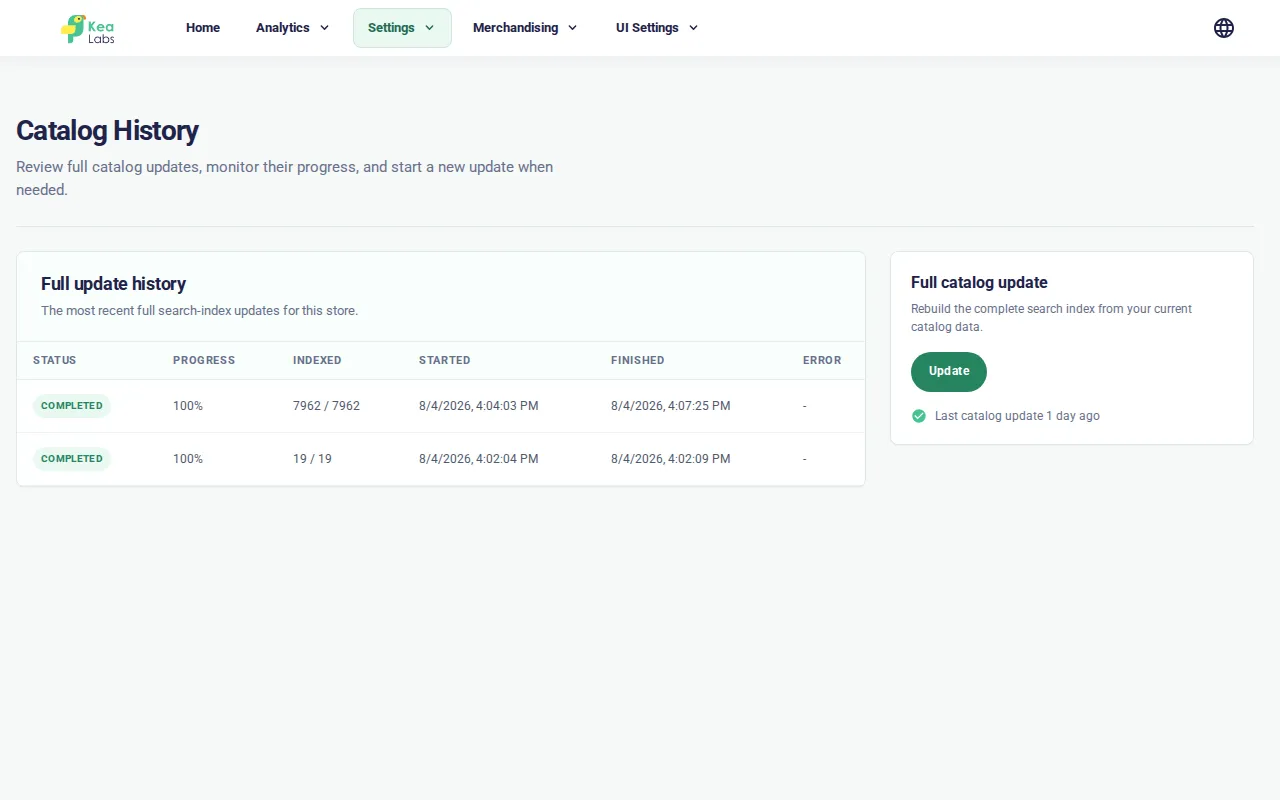
The catalog update is asynchronous. You do not need to keep the page open while it runs.
How the catalog stays in sync
Section titled “How the catalog stays in sync”The module uses three update paths:
- Initial catalog build — creates the first search catalog after the module is enabled.
- Incremental product updates — refresh products after product, category, combination, or stock changes in PrestaShop.
- Full catalog update — rebuilds the searchable catalog from the current settings. Use it after changing Products in search settings, after a large import, or as a recovery step.
Field priority and indexed filter changes also require the catalog to be updated. Synonym changes do not; saved synonyms apply to new search requests.
Verify grouped variations
Section titled “Verify grouped variations”Use a product with at least two variation axes, such as Size and Color:
- Search for the parent product without filters. Grouped mode should return one card.
- Confirm every expected size and color appears in facets.
- Apply one valid size-and-color combination. The product should remain and the representative combination should match the filters.
- Apply a size-and-color pair that does not exist. The product should disappear.
- Switch to individual mode and repeat the query. Each real combination should now occupy a separate result position.
If full variation data is enabled, also inspect the search response and confirm product.variants.items contains the real combinations rather than a cartesian product of all axis values.
Common problems
Section titled “Common problems”| Symptom | Check and fix |
|---|---|
| Saved product eligibility does not affect results | Run Update search catalog and wait for the job to complete. |
| Category search is empty | Type part of a category name, confirm the plugin connection is healthy, and retry. The picker does not preload the entire category tree. |
| A grouped product matches an impossible size/color pair | Confirm the catalog update completed after the module upgrade. Then rerun the update and retest the exact pair. |
| Sizes or colors work as filters but are missing from the response | Enable Include full variation data in grouped cards, save, and update the catalog. |
product.variants is absent in individual mode |
This is expected. Individual results expose the exact product.variant instead. |
| Product attributes or features are absent | Enable the required Additional product data provider, save, and update the catalog. |
| Catalog status remains failed | Open Catalog History, inspect the error, check the PrestaShop cron, then retry the full update. |